
UKCI: Recognizing Art Objects from a Photo

- Seed
- PoC
- MVP
- Production
- Chasing perfect
Photograph a painting and get its artist, century, and title in seconds.
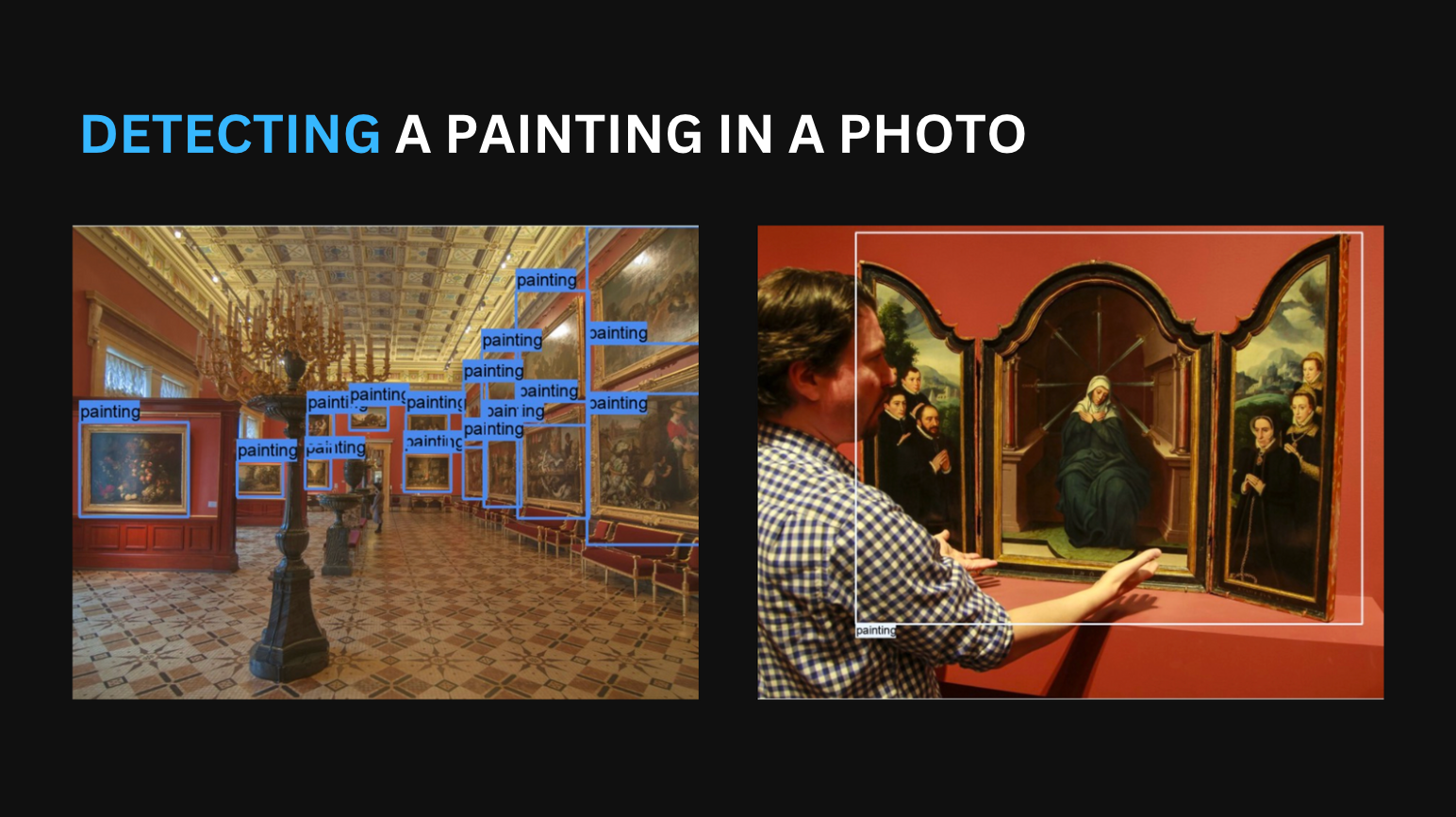
Where the data comes from
What we capture
Before the app can name a painting, it needs a catalog of known works to compare against. We built that catalog from The Met's open art data, one of the largest open collections available.
We gathered records two ways and merged them. One was a search of the museum's public data feed by plain terms like painting, landscape, and portrait. The other was a deeper search of MetObjects, the fuller dataset behind it. Together they gave us roughly 25,000 works to match against at the start.
Two more sources fed the system. To teach it to find paintings in a real photo, we used 367 photographs taken inside museums, each marked by hand to show where the paintings were. We also kept the Wikiart collection, about 81,000 paintings, ready to widen the catalog later.
What we do with it
How we train
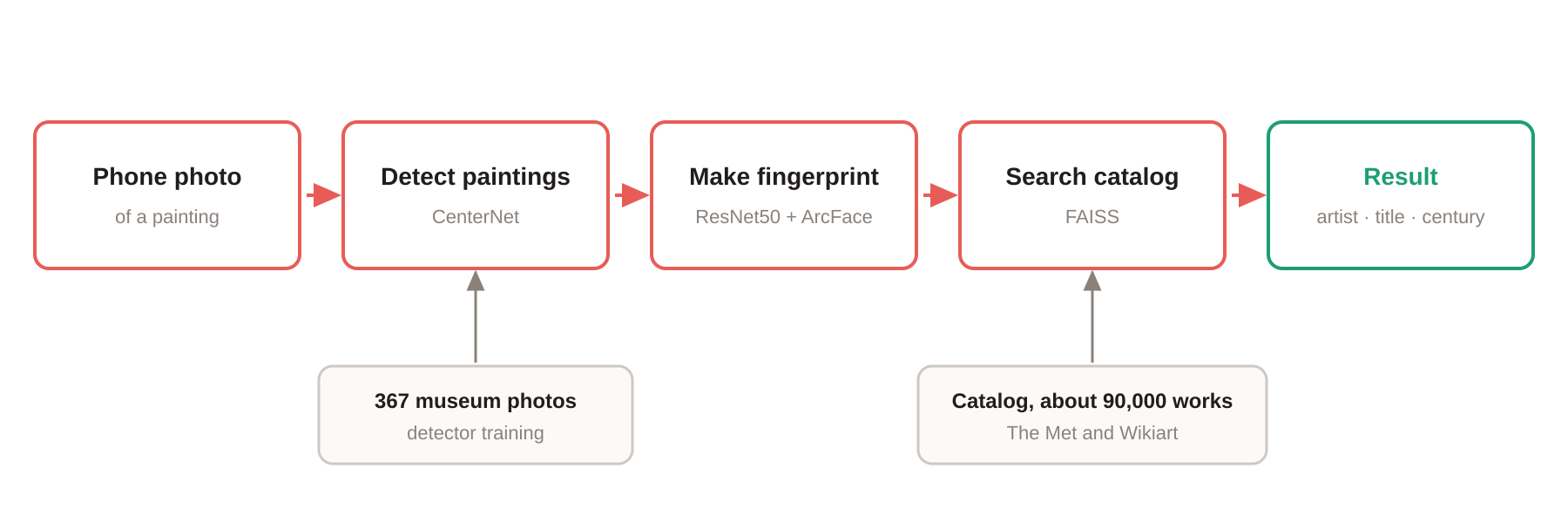
Turning a phone photo into a named painting takes three steps: find the artwork, match it to the catalog, then fill any gaps in the catalog.
Finding the artwork comes first. A detection model locates the paintings in the photo. This one is CenterNet, a standard computer-vision model. A real museum photo usually catches neighboring works on the wall too, so we taught the model to spot those as well. That gives the app more to recognize.
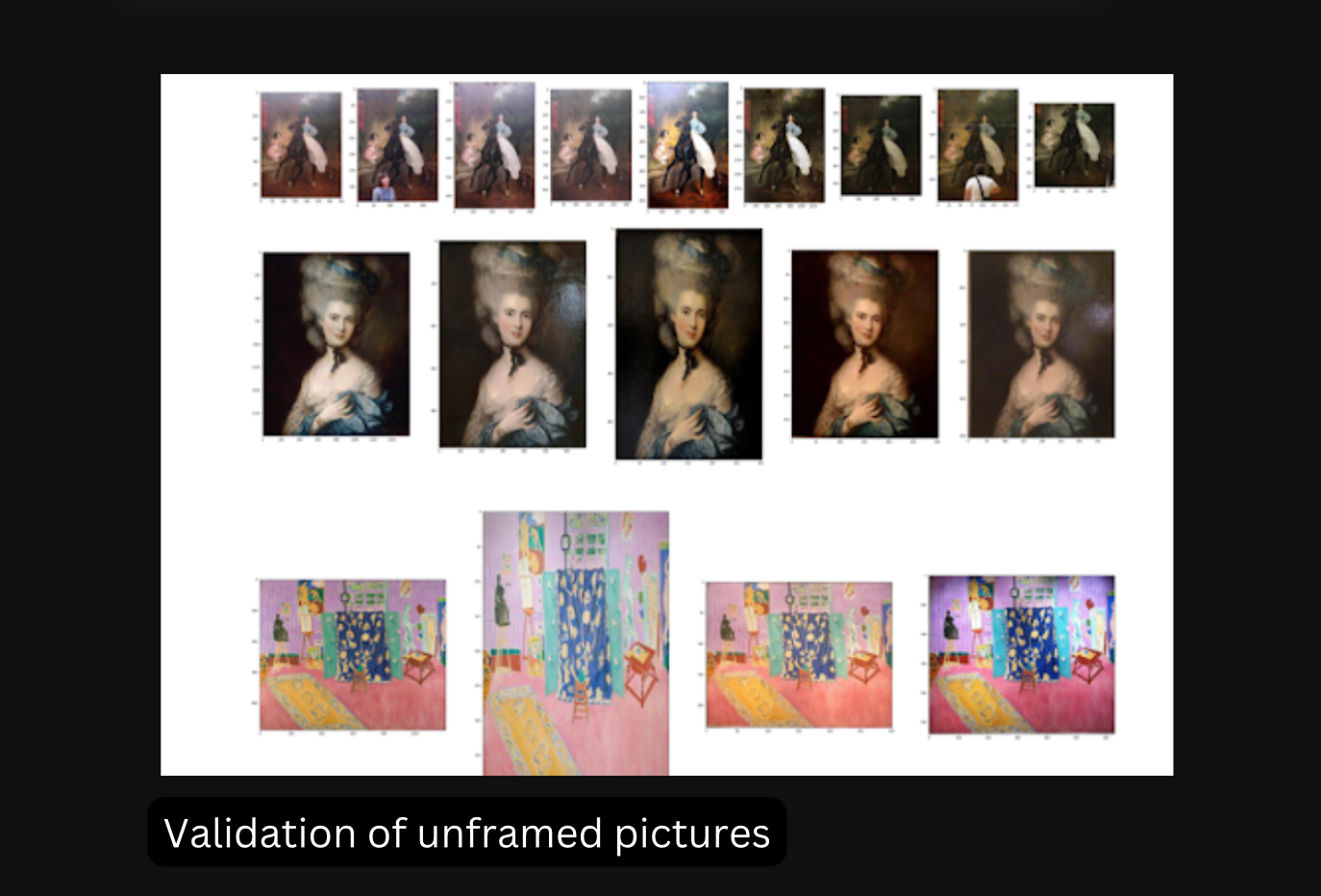
Matching comes next, and it has to be quick. Comparing whole images would be too slow. So the system reduces each painting to a short list of numbers that captures how it looks, a kind of visual fingerprint. To name a painting, it finds the closest fingerprint in the catalog. We tried several models for making these fingerprints, including ResNet50 and MobileNet. We added a tuning step called ArcFace that spreads similar works apart, so close matches are easier to tell apart. To search millions of fingerprints in real time, we used a fast search library called FAISS. We also trained on deliberately messed-up photos, tilted, cropped, and recolored, so the app copes with the imperfect shots people take.
Filling gaps comes last. Some paintings on the wall were not in the catalog yet. We added the Wikiart collection so there was always something to match against.
- 01 Find the paintings and drawings in the photo (CenterNet ResNet50)
- 02 Match each artwork against the catalog (image fingerprints, searched with FAISS)
- 03 Grow the catalog using the Met API, MetObjects, and Wikiart
Stack
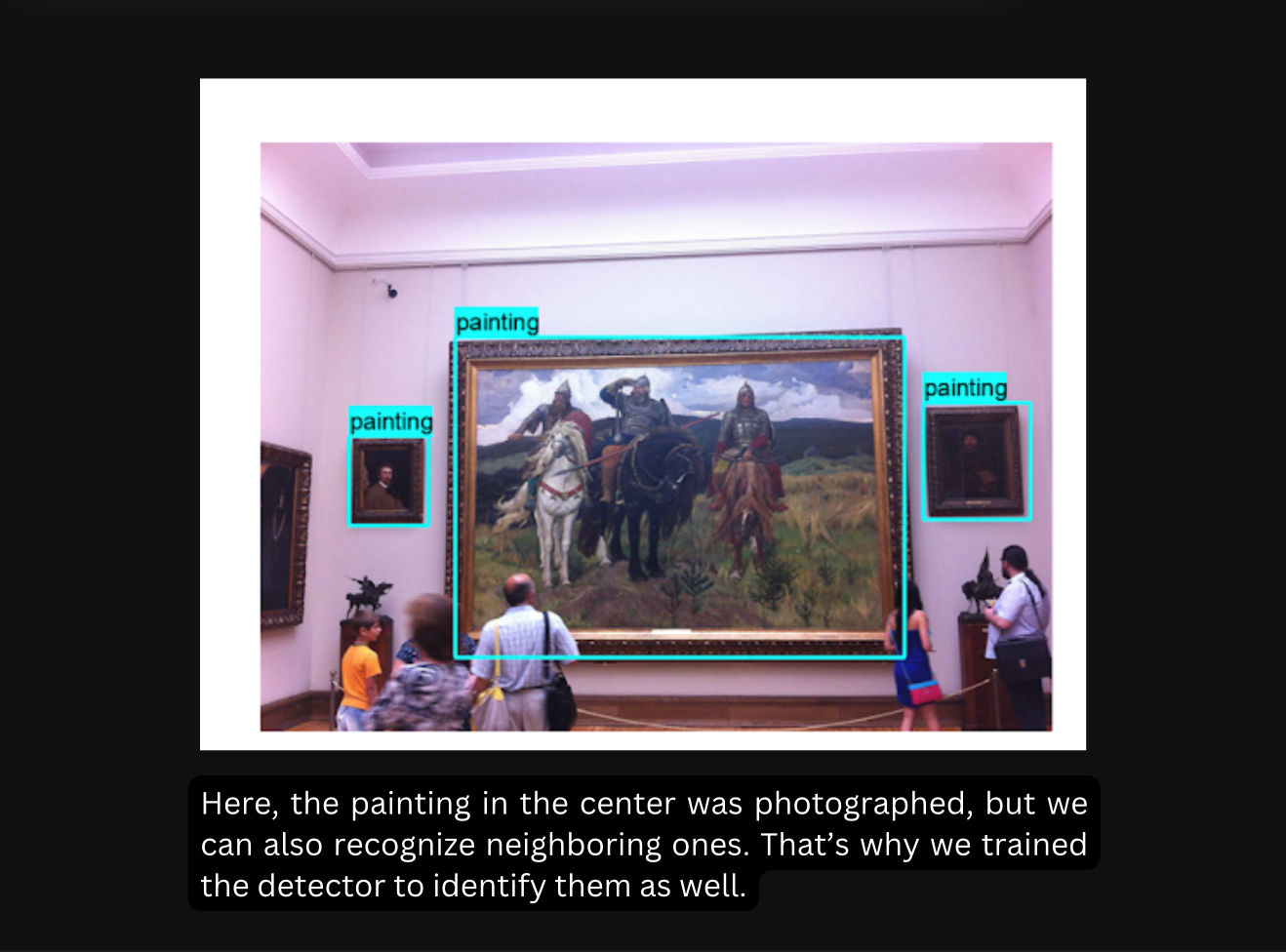
What comes out
How it performs
The result is an app that names a painting from a single phone photo. It returns the artist, the century, and the title in about 2 seconds. It works for drawings as well as paintings. It also held up on broad searches across the whole collection, including works it had never seen while learning.
By the end, the searchable catalog had grown to about 90,000 works, with room for more. This was a proof of concept, so read the figures as promising early results, with a fuller study still to come.
Related